Give each account a clear workspace
When you switch between client accounts in a single browser, it is easy to use the wrong session or change the wrong settings. A named browser profile gives you a repeatable place to return to each account, with its own cookies and browsing data.
For example, an agency can use profiles named “Client A — reporting” and “Client B — reporting”. A store operator can separate an approved production account from a testing workspace. Only create accounts and sessions you are authorized to manage.
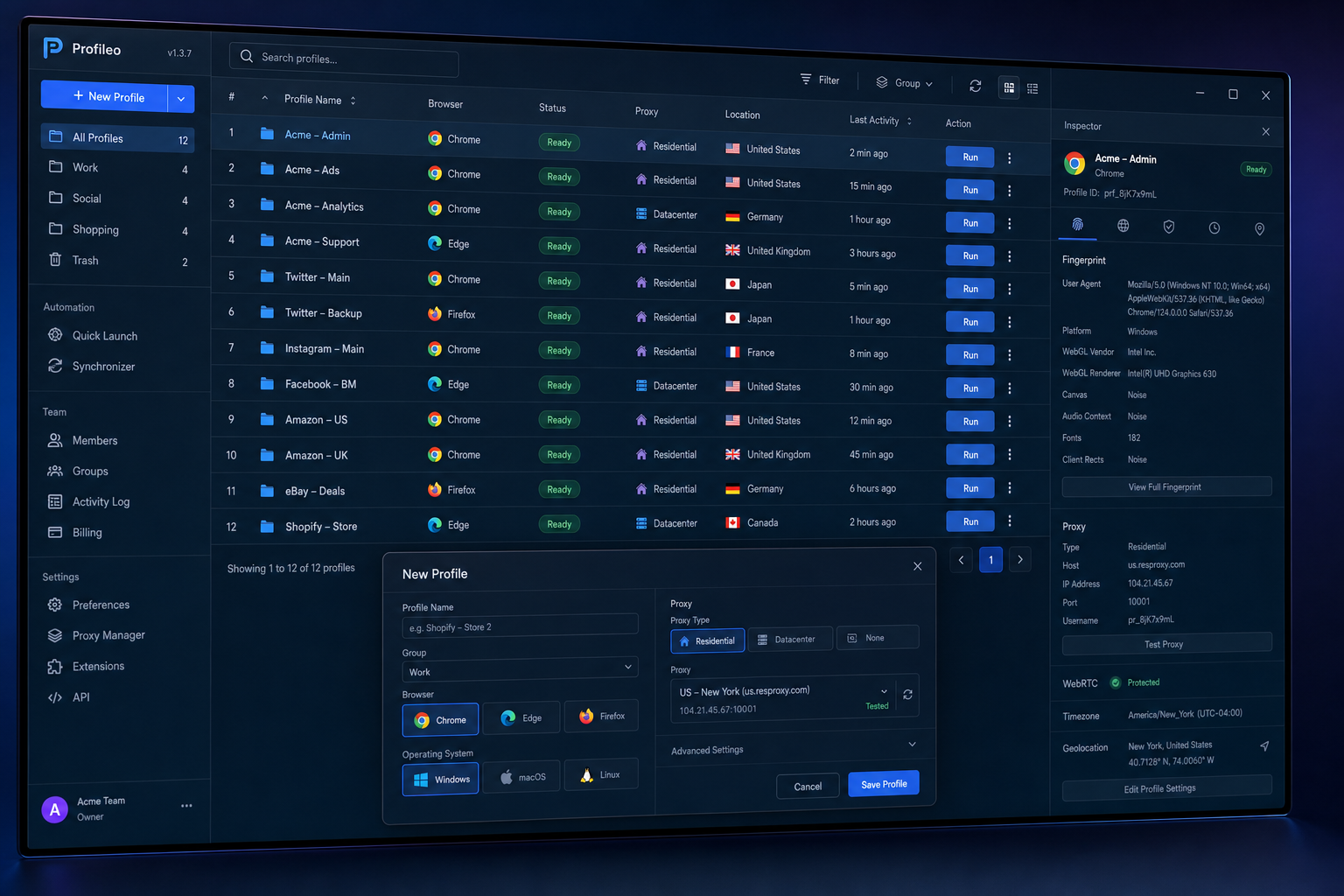
A practical setup in Profileo
- Choose New Profile and give the workspace a name that identifies its owner and purpose.
- Choose the browser and review the profile settings. Keep the configuration consistent with the work you need to perform.
- Assign a proxy when the workspace requires a separate network route. A browser profile alone does not change your public IP address.
- Launch the profile, verify the network and sign in to the intended account.
- Add tags and notes so you can find the workspace again. Stop the browser when the session is finished.
The browser-profile guide covers the controls in detail. For proxy setup, use the proxy configuration guide.
Profiles, private windows and proxies solve different problems
| Tool | What it does | What it does not do |
|---|---|---|
| Separate browser profile | Keeps cookies and profile settings in a separate workspace. | Does not change the network connection by itself. |
| Private window | Provides a temporary browsing session. | Is not a persistent, named workspace with saved profile settings. |
| Proxy | Routes supported traffic through another network endpoint. | Does not separate browser cookies or accounts by itself. |
| Fingerprint controls | Configure selected browser-exposed properties. | Do not guarantee anonymity or prevent every form of account association. |
Five habits for managing e-commerce accounts
- Follow the marketplace rules for account ownership and permitted additional accounts. Browser software does not grant permission for extra accounts.
- Use one clearly named workspace for each approved store or role. Check the active profile before changing listings or orders.
- Keep account recovery and two-factor authentication under the control of the authorized owner.
- Test the proxy and browser settings before handling a live session; avoid changing them unnecessarily during work.
- Document the purpose of each profile and remove access when a collaborator no longer needs it.
Choose a plan around the profiles you need
Count the workspaces you actually need, then compare the profile limits and features on the pricing page. Start by validating one complete workflow before creating many profiles.
For technical context, read how browser fingerprinting works. To begin, download Profileo for Windows.